
Your WhatsApp Web, private by default.
One click blurs names, messages and media. A PIN locks the whole tab. It runs on your computer — no servers of ours, no accounts, no sign-up.
- 100% on-device
- No account needed
- On-device by default
- Free
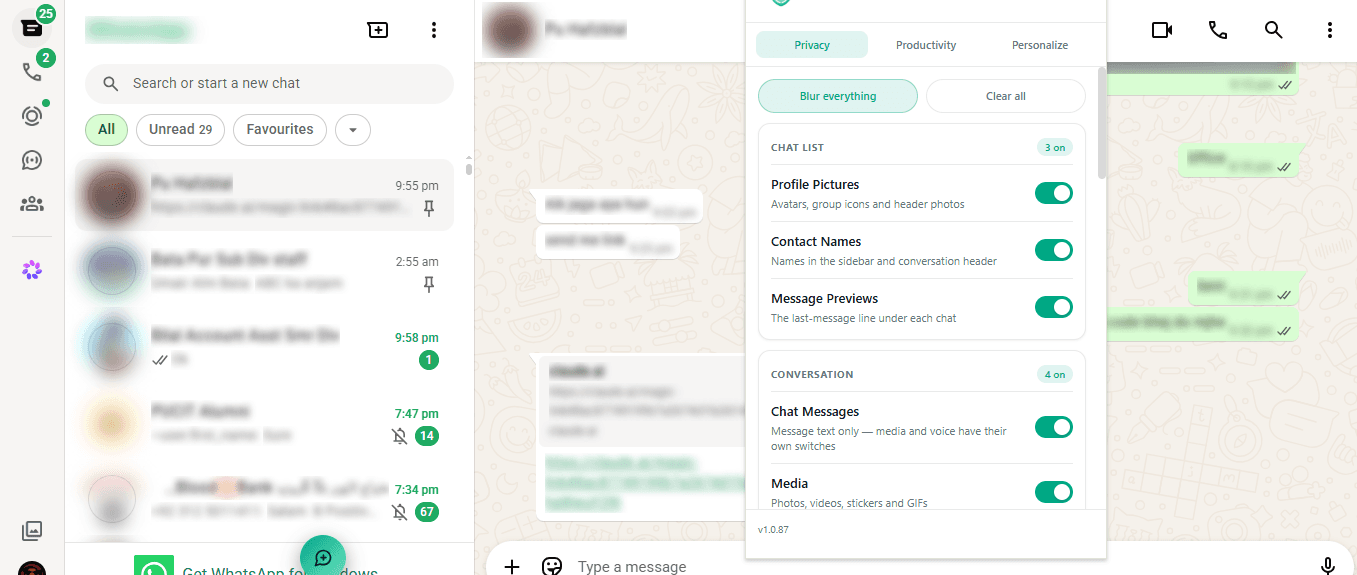
Blur exactly what you want, and nothing else.
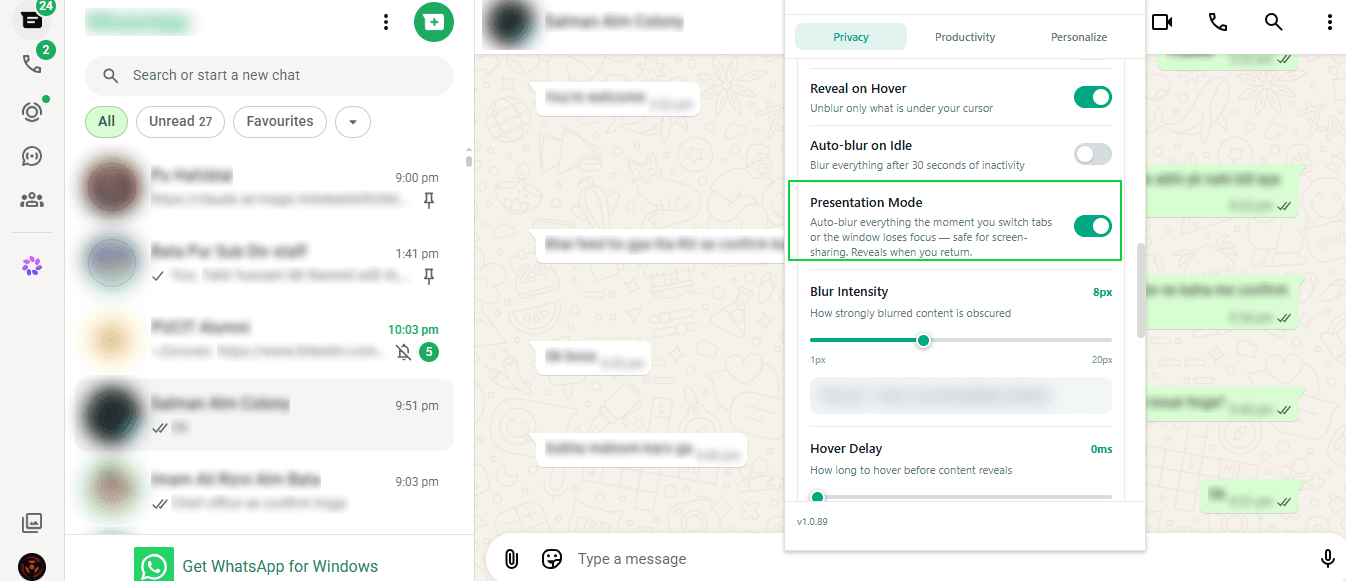
Turn on blur for just the things you care about — names, previews, message text, media, voice notes, or whole group panels. Reveal on hover un-blurs only what is under your cursor, so you can read one chat while the rest stays hidden. Tune the blur strength (1–20px) and the hover delay, or let it auto-blur after 30 seconds idle.
Chat list
- Profile pictures & group icons
- Contact names
- Message previews
Conversation
- Message text
- Media — photos, video, stickers, GIFs
- Voice notes & waveforms
- The input box you are typing in
Group chats
- Group name, description & photo
- The member list
- Sender name & photo above each message
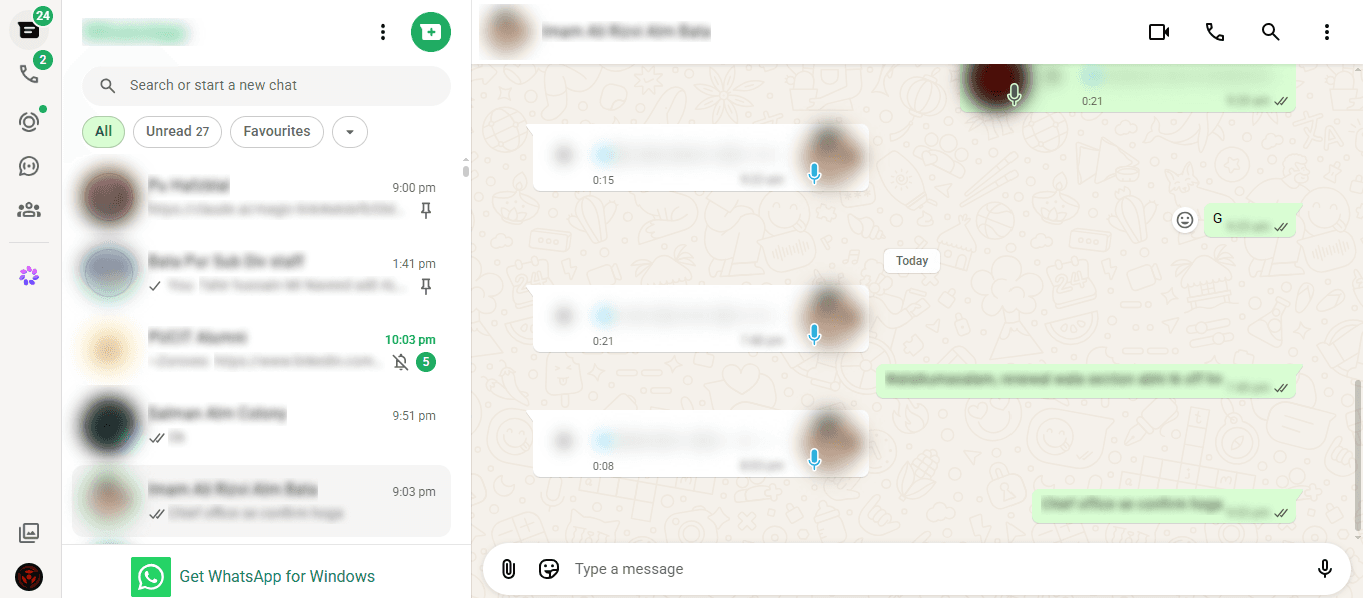
About to share your screen?
Presentation Mode blurs everything the instant you switch tabs or the window loses focus — and reveals it the moment you come back. No panic, no scrambling for the window before the call sees your chats.
Lock the whole tab behind a PIN.
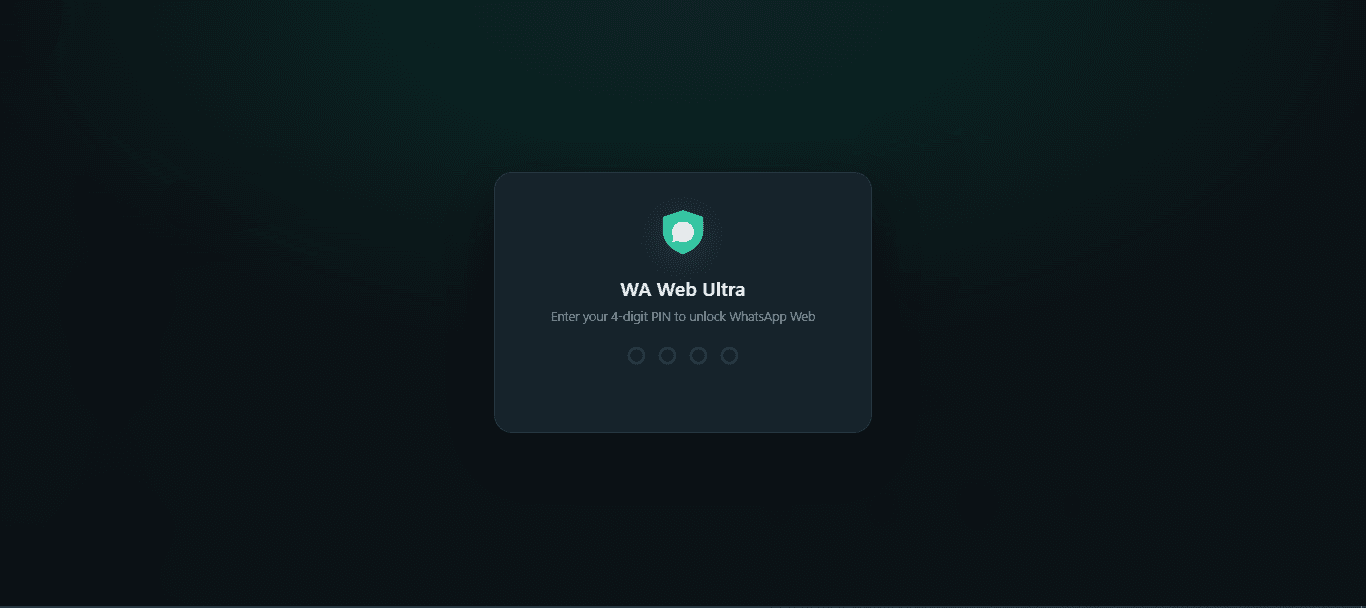
A 4-digit PIN covers WhatsApp Web completely. Lock instantly with Ctrl+Shift+L (⌘⇧L on Mac), or let it auto-lock after a chosen idle time. The PIN is stored only as a salted hash — it can be checked, never read back. It is protection from the person walking past your desk, not from someone with full access to your computer.
Everything else it does
A set of quiet, local tools that make WhatsApp Web faster to work in — no account, no cloud, nothing sent to us.
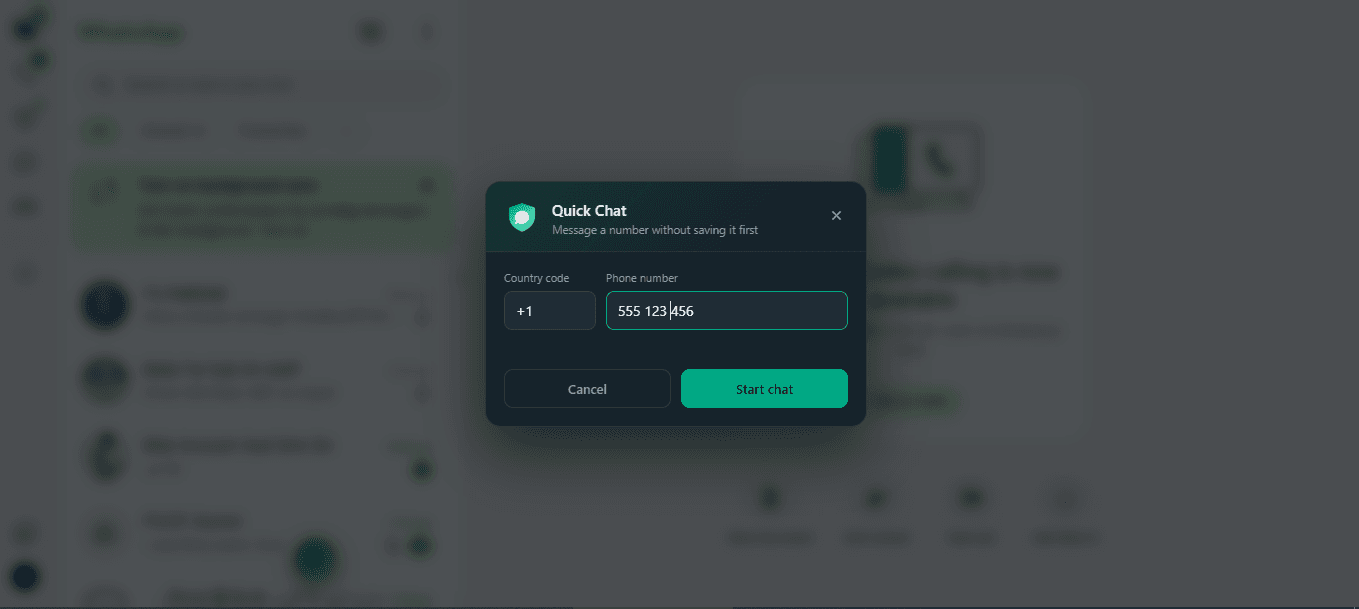
Quick Chat
Message any phone number without saving it first — the conversation opens in place, with no page reload.
Status Download
Save a status you are viewing as its real file — .mp4 or .jpg — straight to your Downloads folder.
Export Contacts
Download your chat list as a CSV file, entirely on your own machine.
Message Templates
Keep canned messages and drop one into the compose box with a single click.
Smart Replies
When an incoming message matches a keyword, it suggests a reply and inserts it into the compose box. You review and send.
Assisted Send
Step through a list of contacts one at a time, with your template pre-filled for each. You press send every time.
Tasks & Reminders
A local to-do list with an optional due date, a linked contact, and a desktop reminder.
Business Toolbar
A floating, draggable toolbar that keeps the productivity tools within reach as you work.
Quick Contact Saver
Save a name and number, then open a chat with them in one click.
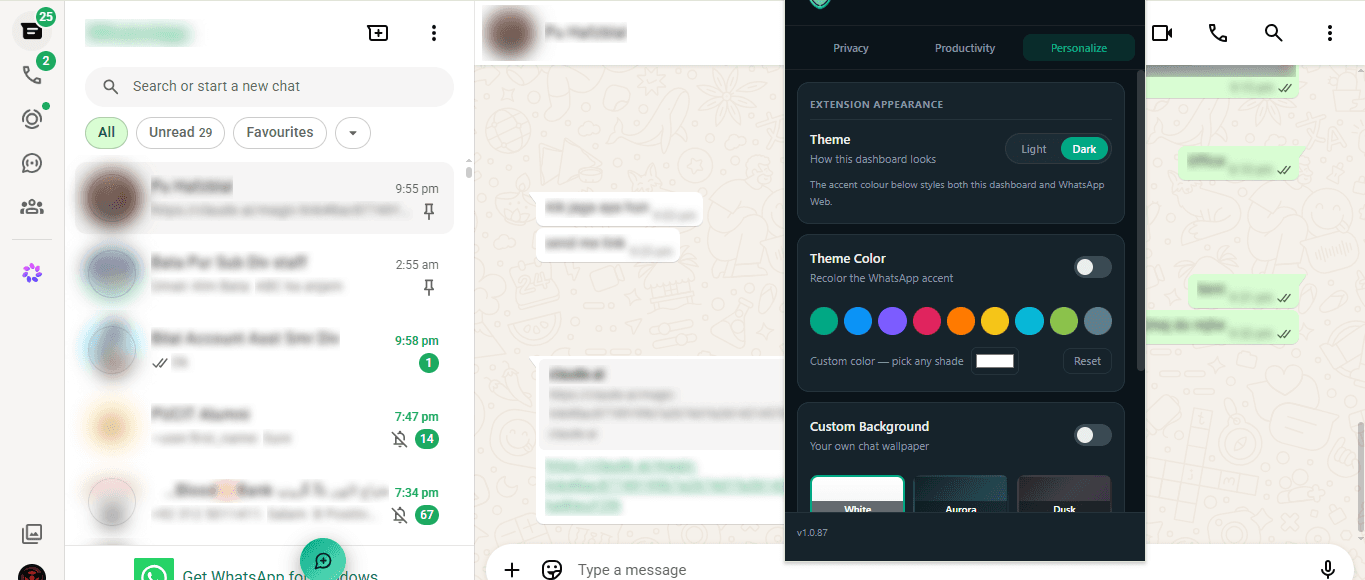
Theme Color
Recolor WhatsApp Web's accent from nine preset swatches.
Custom Backgrounds
Six preset chat wallpapers — White, Aurora, Dusk, Emerald, Sunset and Noir.
Tools & Utilities
Small local helpers: a character counter, quick-open, and a JSON export.
We can't see any of this. By design.
- Runs entirely in your browser
- No servers, no accounts, no sign-up
- No analytics, ads or trackers inside the extension
- No remote code — everything ships in the package
(This website uses Google Analytics to count visits. The extension sends nothing on its own — the only exception is the opt-in Message Translator, which sends a message’s text to a translation service when you tap Translate. Details.)
What it can reach
| Permission | What it's for |
|---|---|
| storage | Your settings, templates, tasks and PIN hash — on your device |
| scripting | Re-apply features after you reload WhatsApp Web |
| downloads | Save a status or a CSV — only when you click |
| alarms + notifications | Desktop reminders for tasks you create |
| web.whatsapp.com | The website it runs on |
| translation service | Only if you use Message Translator — sends a message’s text to Lingva/LibreTranslate when you tap Translate |
It cannot read your browsing history, your other tabs, your files, your camera or your microphone. Read the full privacy policy.
Up and running in a minute
- 1
Install from the Chrome Web Store
One click adds it to Chrome, Edge or Brave.
- 2
Open WhatsApp Web
Head to web.whatsapp.com and sign in as usual.
- 3
Switch on what you want
Click the toolbar icon and flip on only the tools you need.
Questions, answered honestly
Is this safe to use? Does it touch my account?
Does it work on the WhatsApp phone app?
Do you see my messages?
Do I need an account?
What happens to my settings if I uninstall?
Is it free?
I forgot my PIN.
Does it work in Edge and Brave?
Why does it need the downloads permission?
What's new
Version history, newest first.
v1.0.14
Everything WA WEB ULTRA does — now with message translation, five languages and a faster launch.
- Granular blur for the chat list, conversations and group panels, with reveal-on-hover, adjustable intensity and auto-blur on idle.
- Presentation Mode — auto-blur the moment the window loses focus, for safe screen-sharing.
- PIN lock screen with a salted-hash PIN, instant lock, and an adjustable auto-lock idle time (1–5 minutes) — accepts your PIN reliably even when WhatsApp Web tries to grab focus.
- Message Translator — translate any incoming message inline (tap to see the translation, tap again for the original), and translate your own message before you send it. Optional, and only when you tap Translate; the selected text is sent to a third-party translation service for that request.
- Quick Switcher — press Ctrl+K (⌘K) to jump to any chat instantly, and pin your favourites to the top.
- Text Snippets — type a short trigger and it expands to a saved phrase right in the compose box.
- Productivity tools: Quick Chat, Status Download (now save every status from a contact in one click), Export Contacts, Message Templates, Smart Replies, Assisted Send, Tasks & Reminders, Business Toolbar, Quick Contact Saver and Tools & Utilities.
- Five languages — the whole extension now speaks English, Urdu, Hindi, Arabic and Indonesian, with full right-to-left layout.
- Personalization: accent colors plus an app-wide chat wallpaper that flows across the conversation and the chat list, with a live slider for how strongly it shows and a light/dark text option so names stay readable.
- Keyboard shortcuts: Alt+X toggles the whole page between blurred and clear (your per-item settings are kept), Ctrl+Shift+L (⌘⇧L on Mac) locks the tab.
- A smoother, faster launch, a polished popup entrance, and lighter rendering for older machines.
- Runs on-device — no accounts, no analytics or trackers in the extension. The only time anything leaves your device is the optional Message Translator, when you tap Translate.
Take your privacy back on WhatsApp Web.
Free · No account · Works in Chrome, Edge & Brave.